Azure vs. AWS for High-Compute Scientific Workloads: A Physicist’s Perspective

1. Introduction: The Stochastic Reality of HPC Resource Contention
Imagine you are modeling the stochastic behavior of non-equilibrium thermodynamic systems using Lattice Boltzmann methods. Your simulation requires a mesh resolution of to capture the turbulent eddies at the Kolmogorov scale. You submit the job to your university's local Cray cluster, only to be greeted by a disheartening status: PENDING: Priority Low. Estimated Start: 14 days.
This is the bottleneck of modern applied physics. The science is ready, the mathematics is sound, but the hardware is inaccessible. For decades, the solution was simply "buy more metal," but the capital expenditure (CapEx) model for High-Performance Computing (HPC) is failing to keep pace with the exponential growth of data complexity in fields ranging from astrophysics to genomics.
The migration to the cloud for scientific computing is not merely an IT decision; it is a fundamental shift in the physics of data locality and processing. However, treating Azure and AWS as identical commodity utilities is a catastrophic engineering error. While they share the same fundamental x86-64 or ARM instruction sets, their architectural approach to the "hardest" problem in distributed computing—latency—differs radically.
In scientific workloads, specifically tightly coupled MPI (Message Passing Interface) jobs, the limiting factor is rarely raw CPU clock speed. It is the interconnect. When you are solving partial differential equations across 1,000 cores, the propagation delay of state vectors between nodes determines your Time-to-Solution.
This article dissects the Azure vs. AWS debate not through the lens of a web developer, but through the eyes of a computational physicist. We will explore how Azure’s InfiniBand-native approach compares to AWS’s proprietary Elastic Fabric Adapter (EFA), analyze the cost-performance curves based on Gustafson’s Law, and provide rigorous implementation strategies to spin up a supercomputer in minutes rather than months.
2. Theoretical Foundation: Latency, Bandwidth, and Scaling Laws
To understand why we choose specific instances on AWS or Azure, we must revisit the theoretical constraints of parallel computing. The performance gain of moving a scientific workload to the cloud is governed by Amdahl’s Law and Gustafson’s Law.
The Mathematical Limits of Scaling
Amdahl’s Law states that the theoretical speedup of a task execution is limited by the serial portion of the task :
Where is the number of processors. In tightly coupled HPC workloads (e.g., Computational Fluid Dynamics), includes the time spent waiting for data synchronization between nodes. If your interconnect latency is high, your effective increases, and your speedup asymptotes quickly, rendering additional cores useless.
However, in cloud HPC, we often lean on Gustafson’s Law, which suggests that as we increase resources (), we also increase the problem size. This shifts the focus from speedup to scaled speedup:
To maximize , we must minimize the latency penalty of inter-node communication.
The Interconnect Physics: EFA vs. InfiniBand
This is where the divergence between AWS and Azure becomes critical.
Azure utilizes NVIDIA (Mellanox) InfiniBand directly exposed to the VM. We are talking about HDR (200 Gbps) or NDR (400 Gbps) links. InfiniBand uses a switched fabric topology designed specifically for low latency and high throughput, utilizing RDMA (Remote Direct Memory Access). RDMA allows one computer to access the memory of another without involving the operating system of either. This bypasses the kernel's network stack, reducing latency to the microsecond scale ().
AWS developed the Elastic Fabric Adapter (EFA). EFA is a custom-built network interface for Amazon EC2 instances that enables customers to run HPC applications at scale on AWS. It utilizes the Scalable Reliable Datagram (SRD) protocol. Unlike InfiniBand which guarantees order, SRD sprays packets across multiple paths in the AWS network to avoid congestion, handling reordering at the receiver stack.
From a physics perspective, InfiniBand on Azure behaves like a dedicated, coherent lattice. EFA on AWS behaves like a fluid, dynamically routing around congestion. For legacy MPI codes that expect strict packet ordering, Azure often provides a "lift-and-shift" performance advantage. For cloud-native codes resilient to out-of-order packets, EFA offers massive scalability without the rigidity of static switch topologies.
3. Implementation Deep Dive
Let’s move from theory to implementation. We will script the deployment of a compute cluster suitable for running GROMACS or OpenFOAM. We will assume a Linux environment.
Use Case A: Azure HBv3 Setup with CycleCloud
Azure HBv3 instances run on AMD EPYC processors with InfiniBand. We will use a Bash script to prepare the environment and use the Azure CLI to deploy a rigid MPI cluster.

Prerequisites: Azure CLI (az) installed.
#!/bin/bash
# setup_azure_hpc.sh
# Automates the creation of an HPC cache and VM Scale Set for MPI workloads

set -e # Exit immediately if a command exits with a non-zero status

RESOURCE_GROUP="HPC_Physics_RG"
LOCATION="eastus"
VNET_NAME="HpcVnet"
SUBNET_NAME="ComputeSubnet"
VM_SIZE="Standard_HB120rs_v3"

echo "Initializing Azure Physics HPC Cluster..."

# 1. Create Resource Group
az group create --name $RESOURCE_GROUP --location $LOCATION --output none

# 2. Create VNet and Subnet with Accelerated Networking support
echo "Creating Network Fabric..."
az network vnet create \
  --resource-group $RESOURCE_GROUP \
  --name $VNET_NAME \
  --address-prefix 10.0.0.0/16 \
  --subnet-name $SUBNET_NAME \
  --subnet-prefix 10.0.1.0/24

# 3. Create Proximity Placement Group (PPG)
# CRITICAL: This ensures VMs are physically close to minimize light-speed latency
echo "Defining Proximity Placement Group..."
az ppg create \
  --name "PhysicsCloseCoupled_PPG" \
  --resource-group $RESOURCE_GROUP \
  --location $LOCATION \
  --intent-vm-sizes $VM_SIZE \
  --type Standard

# 4. Deploy VM Scale Set with InfiniBand Drivers
# Note: Using an HPC-specific image (CentOS-HPC or Ubuntu-HPC)
echo "Deploying Compute Nodes (This may take several minutes)..."
az vmss create \
  --resource-group $RESOURCE_GROUP \
  --name "LatticeNodes" \
  --image "OpenLogic:CentOS-HPC:7_8:latest" \
  --vm-sku $VM_SIZE \
  --instance-count 8 \
  --ppg "PhysicsCloseCoupled_PPG" \
  --admin-username "physicist" \
  --generate-ssh-keys \
  --single-placement-group true \
  --priority Spot \
  --eviction-policy Deallocate \
  --max-price -1

echo "Cluster deployment complete. InfiniBand is active."
Commentary: The Proximity Placement Group is non-negotiable here. Without it, Azure might place your VMs in different datacenters within the region, destroying your MPI latency. We also use Spot priority to reduce costs by up to 90%, suitable for checkpointable simulations.
Use Case B: AWS ParallelCluster with EFA
On AWS, we use pcluster, an open-source cluster management tool. We must explicitly enable EFA.
Configuration: cluster-config.yaml
Region: us-east-1
Image:
  Os: alinux2
HeadNode:
  InstanceType: c5.xlarge
  Networking:
    SubnetId: subnet-xxxxxx
  Ssh:
    KeyName: my-key
Scheduling:
  Scheduler: slurm
  SlurmQueues:
    - Name: dynamical-queue
      ComputeResources:
        - Name: hpc6a-nodes
          Instances:
            - InstanceType: hpc6a.48xlarge
          MinCount: 0
          MaxCount: 10
          # CRITICAL: Enabling EFA for SRD protocol support
          Efa:
            Enabled: true
            GdrSupport: false # Set true if using GPUs
      Networking:
        SubnetIds:
          - subnet-xxxxxx
        # Placement Group guarantees non-blocking network performance
        PlacementGroup:
          Enabled: true
Deployment Script:
#!/bin/bash
# deploy_aws_pcluster.sh

CLUSTER_NAME="navier-stokes-cluster"
CONFIG_FILE="cluster-config.yaml"

echo "Validating Cluster Configuration..."
pcluster verify-cluster-config --cluster-configuration $CONFIG_FILE

if [ $? -eq 0 ]; then
    echo "Deploying AWS ParallelCluster..."
    pcluster create-cluster \
        --cluster-name $CLUSTER_NAME \
        --cluster-configuration $CONFIG_FILE
else
    echo "Configuration validation failed."
    exit 1
fi
Benchmarking Script (MPI)
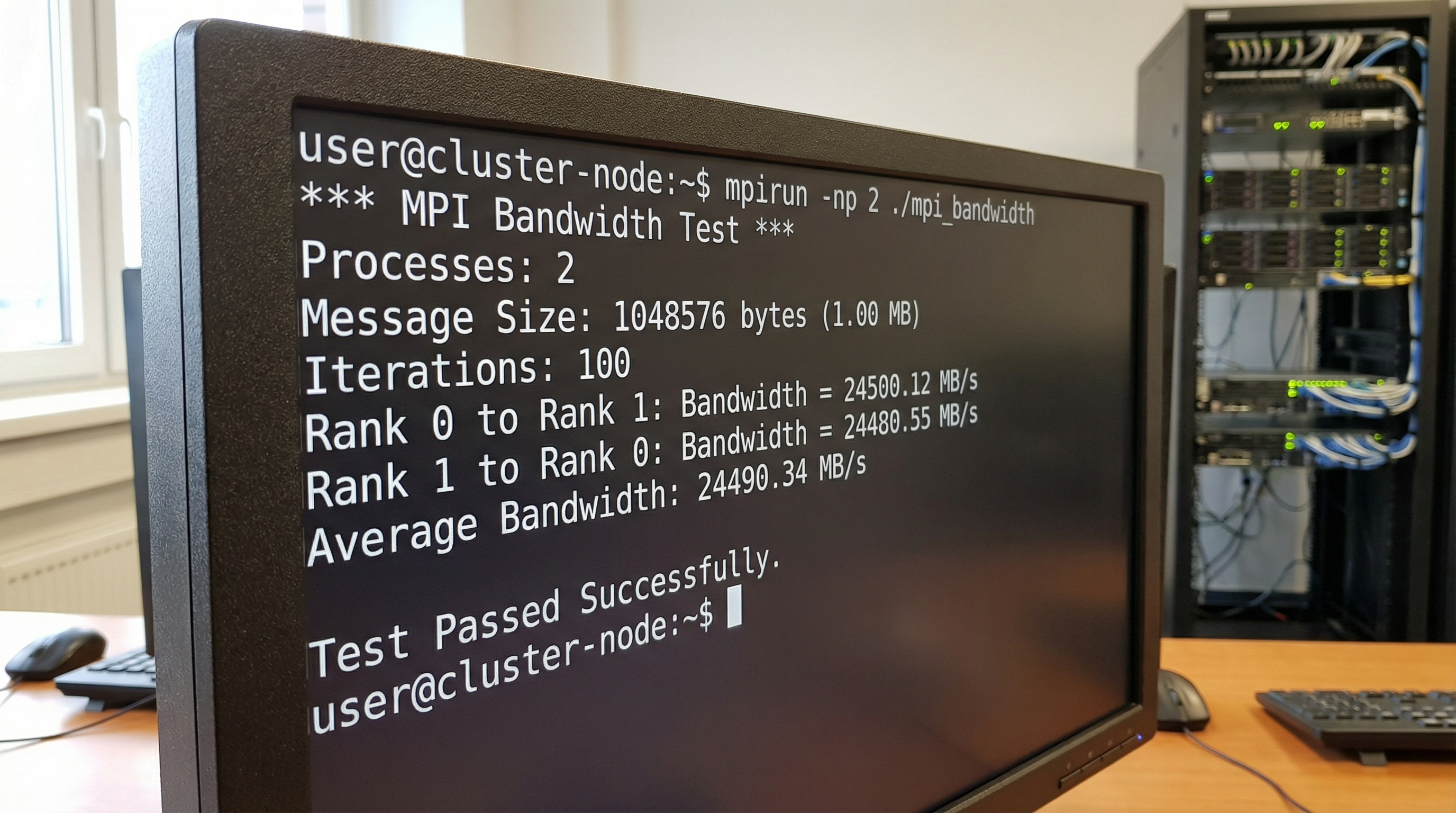
Once either cluster is up, verify the interconnect bandwidth. Do not trust the spec sheet. Trust the physics.
#!/bin/bash
# run_mpi_benchmark.sh
# Usage: sbatch run_mpi_benchmark.sh (on Slurm)

#SBATCH --job-name=osu_bandwidth
#SBATCH --nodes=2
#SBATCH --ntasks-per-node=1
#SBATCH --time=00:10:00

module load mpi/openmpi-x.x.x

echo "Running OSU Bandwidth Benchmark between nodes..."

# For Azure (InfiniBand)
mpirun -np 2 --map-by node ./osu_bw

# For AWS (EFA) - Requires libfabric provider flags
# FI_PROVIDER=efa ensures we use the Elastic Fabric Adapter
mpirun -np 2 --map-by node \
    -x FI_PROVIDER=efa \
    -x FI_EFA_TX_MIN_CREDITS=64 \
    ./osu_bw
4. Advanced Techniques & Optimization
Merely provisioning hardware is insufficient for elite performance. You must tune the software stack to the topology.
1. Process Pinning and NUMA Awareness
Both Azure HBv3 (AMD Milan) and AWS Hpc6a (AMD Milan) use chiplet architectures. The CPU is not a monolithic block of silicon; it is a distributed system on a package.
Crossing the Non-Uniform Memory Access (NUMA) boundary incurs a latency penalty. For hybrid MPI/OpenMP codes, you must bind processes to specific NUMA domains.
- Bad: Letting the OS schedule threads.
- Good:
mpirun --bind-to core --map-by socket - Elite: Explicitly mapping MPI ranks to L3 cache segments (CCX) on AMD EPYC processors. This prevents cache thrashing between ranks.
2. Handling Spot Instance Preemption
Using Spot (Azure) or Spot Fleet (AWS) saves money but introduces the risk of node death. For scientific runs taking 48+ hours, this is fatal without Checkpoint/Restore in Userspace (CRIU).
Optimization Strategy: Implement a " watchdog" script that listens for the cloud provider's termination warning (usually a 2-minute warning via instance metadata service).
#!/bin/bash
# watchdog.sh
# Polls AWS metadata for termination notice

while true; do
    # Check AWS Metadata service for termination time
    if curl -s http://169.254.169.254/latest/meta-data/spot/instance-action | grep -q "terminate"; then
        echo "Preemption detected! Triggering checkpoint..."
        # Send signal to simulation to write state immediately
        pkill -SIGUSR1 gromacs_mpi
        break
    fi
    sleep 5
done
3. File System Bottlenecks
Compute is fast; storage is slow. A common pitfall is having 1,000 cores trying to write logs to a single NFS mount.
- AWS Solution: Amazon FSx for Lustre. It provides sub-millisecond latencies and hundreds of GB/s throughput, linked directly to an S3 bucket.
- Azure Solution: Azure Managed Lustre. Similar architecture.
- Tip: Always configure your simulation to write output data to the scratch filesystem (Lustre), not the home directory (NFS).
5. Real-World Applications
Computational Fluid Dynamics (CFD) in Formula 1
Formula 1 teams are capped on wind tunnel usage and CFD teraflops by regulation. They use AWS Hpc6a instances because the EFA networking allows for non-blocking simulation of aerodynamic wakes. The ability to scale to 10,000 cores for a few hours allows for rapid iteration of front-wing designs between Friday practice and Saturday qualifying.
Genomics and Protein Folding
In drug discovery, Monte Carlo simulations for protein folding (like AlphaFold pipelines) are less sensitive to latency but hungry for memory bandwidth. Azure’s HBv3 series, with massive L3 caches, often outperforms here. The ability to use "burst" capacity means a pharmaceutical company can run a virtual screen of 10 million compounds in a weekend, a task that would take a year on on-prem hardware.
Seismic Processing
Oil and gas exploration involves Reverse Time Migration (RTM) algorithms. These are effectively wave equation solvers. The datasets are petabytes in size. Here, the closeness of compute to data is paramount. AWS’s data gravity (due to the maturity of S3) often makes it the default choice, utilizing Cluster Placement Groups to churn through seismic shot data.
6. External Reference & Video Content
In the video "Cloud Computing Comparison", the analysis breaks down the general-purpose differences between the big three providers. While the video focuses heavily on enterprise web hosting and database services, pay close attention to the section on "Specialized Instances."
The video highlights how AWS segregates its services into granular primitives (EC2, EFA, FSx), whereas Azure often bundles them into managed experiences (Azure Batch). For the scientific user, this mirrors the trade-off discussed in our implementation section: AWS offers the granular control required for custom kernels and exotic network topologies, while Azure provides a more "packaged" HPC experience that mimics traditional Cray supercomputers via InfiniBand. The video underscores that pricing models for these high-end instances are complex—often reserved instances or savings plans are necessary to make the economics viable for academic research.
7. Conclusion & Next Steps
Choosing between Azure and AWS for scientific workloads is not a brand loyalty contest; it is a physics optimization problem.
Key Takeaways:
- Latency is King: If your code is MPI-heavy (tightly coupled), Azure’s native InfiniBand usually offers better raw latency and familiarity for legacy codes. AWS’s EFA is powerful but requires your application to tolerate the SRD protocol for maximum efficiency.
- Topology Matters: Always use Placement Groups (AWS) or Proximity Placement Groups (Azure). Without them, the speed of light becomes your enemy.
- Storage: High-compute is useless without High-Performance Storage. Budget for Lustre (FSx or Managed Lustre); do not run MPI jobs over standard NFS.
Next Steps: Do not migrate your entire pipeline immediately. Start by containerizing your workload using Singularity or Docker. Run the OSU Micro-Benchmarks on both clouds using the scripts provided above. Let the empirical data of bandwidth and latency drive your architectural decision, not the marketing brochures.
The cloud has democratized the supercomputer. The physics is waiting for you to compute it.